top of page

How to Access
Aya Contigo Offline
IOS
You will need an internet connection for these steps:
-
Open Safari
-
Go to app.ayacontigo.com
-
Click on the first icon on the bottom nav bar
-
Click on “Add to Home Screen”
-
Edit the name to your preference and click on “add”
-
Find the icon on the home screen (you can now use it without internet connection)

Android
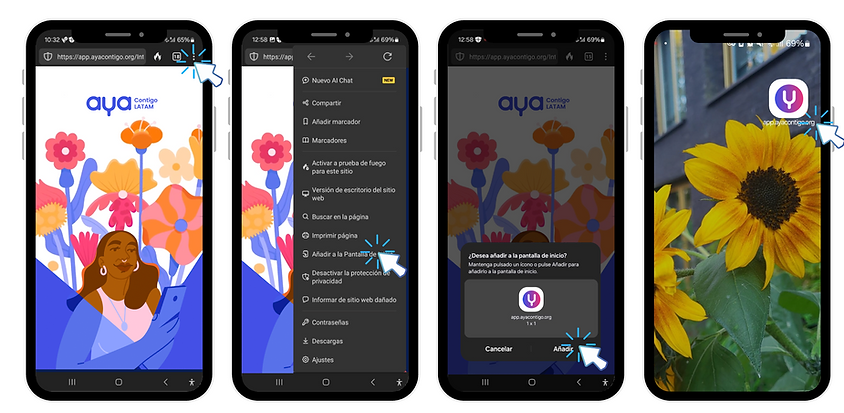
You will need an internet connection for these steps:
-
Open your browser
-
Go to app.ayacontigo.com
-
Click on the three dots on the nav bar
-
Click on “Add to Home Screen”
-
Edit the name to your preference and click on “add”
-
Find the icon on the home screen (you can now use it without an internet connection)
bottom of page